

This is the Stable version of the documentation. The latest version is experimental and under active development. You can use the version selector in the top-right menu to switch versions for this specific page, or click here to go to the latest version's homepage.
Opstella Standard GitLab CI/CD Pipelines Installation
Opstella Standard GitLab CI/CD Pipelines Installation
Section titled “Opstella Standard GitLab CI/CD Pipelines Installation”Visit Opstella Standard GitLab CI/CD Pipelines on git.opsta.io Repository
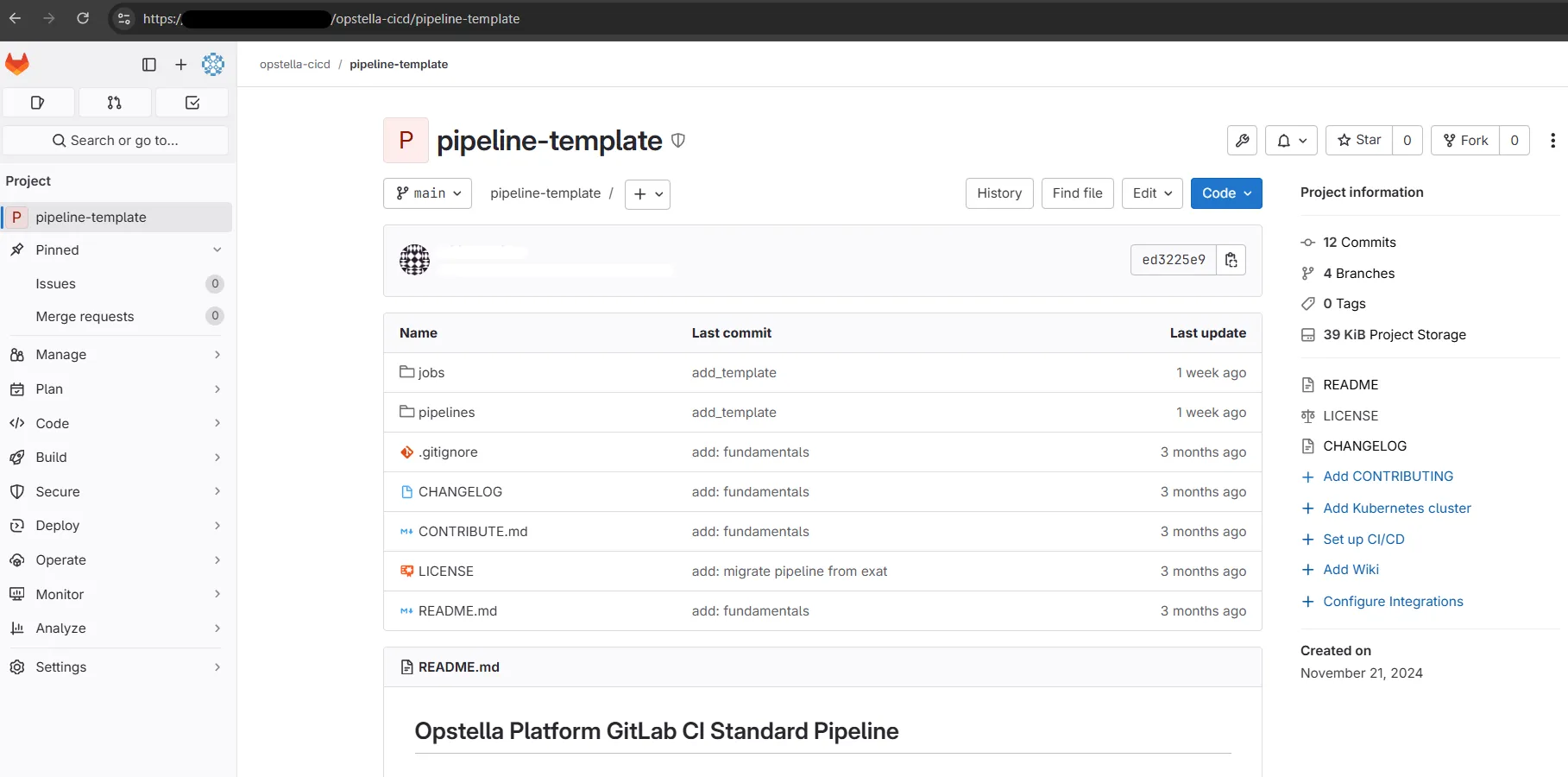
You will be cloning the repository to your own GitLab Instance that your have provisioned
-
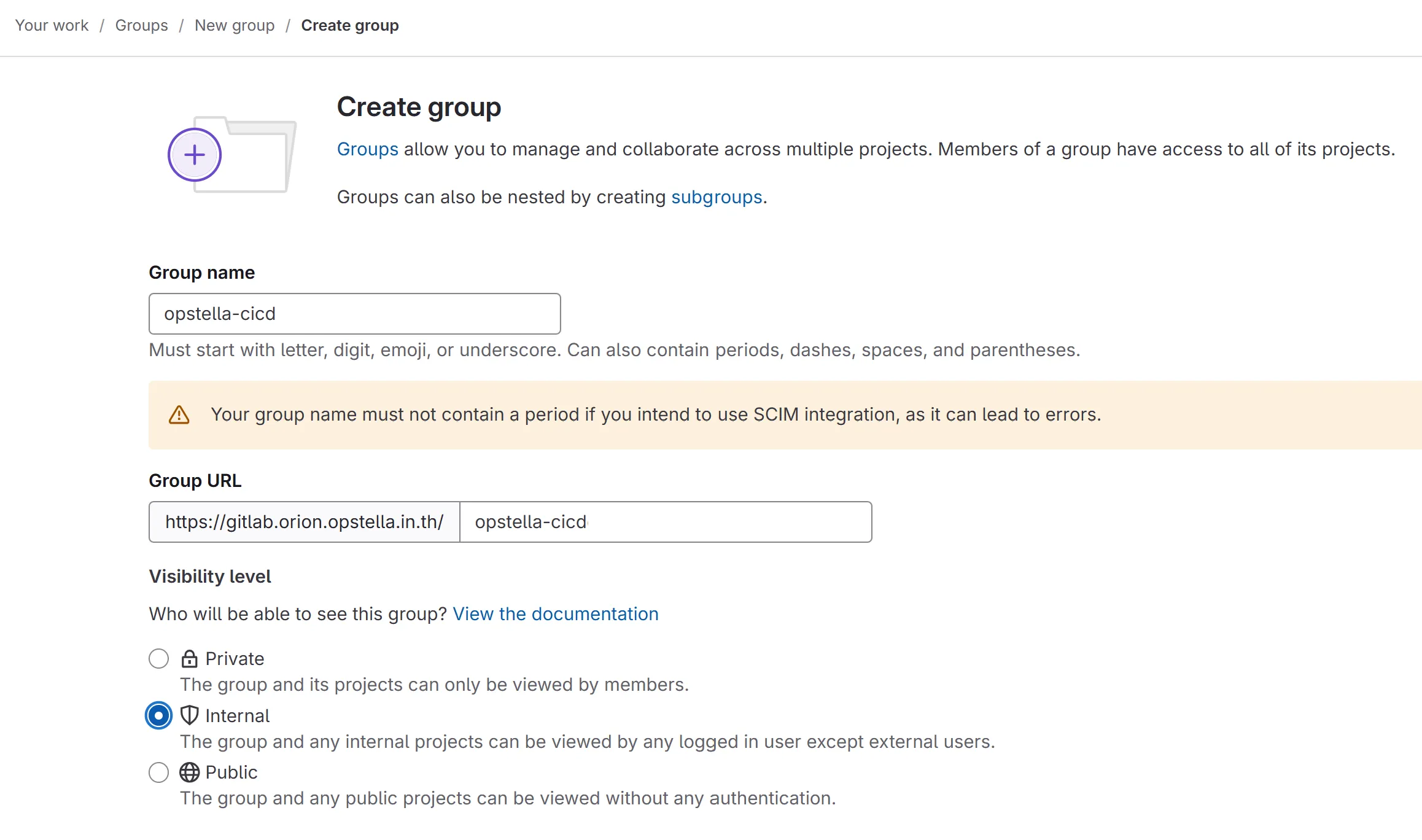
Create GitLab Group to Root Group >
opstella-cicdGroupGroup Attributes
-
Group Name: opstella-cicd
-
Group URL: opstella-cicd
-
Visibility Level: Internal
-
Leave the rest to Default Configuration
-
-
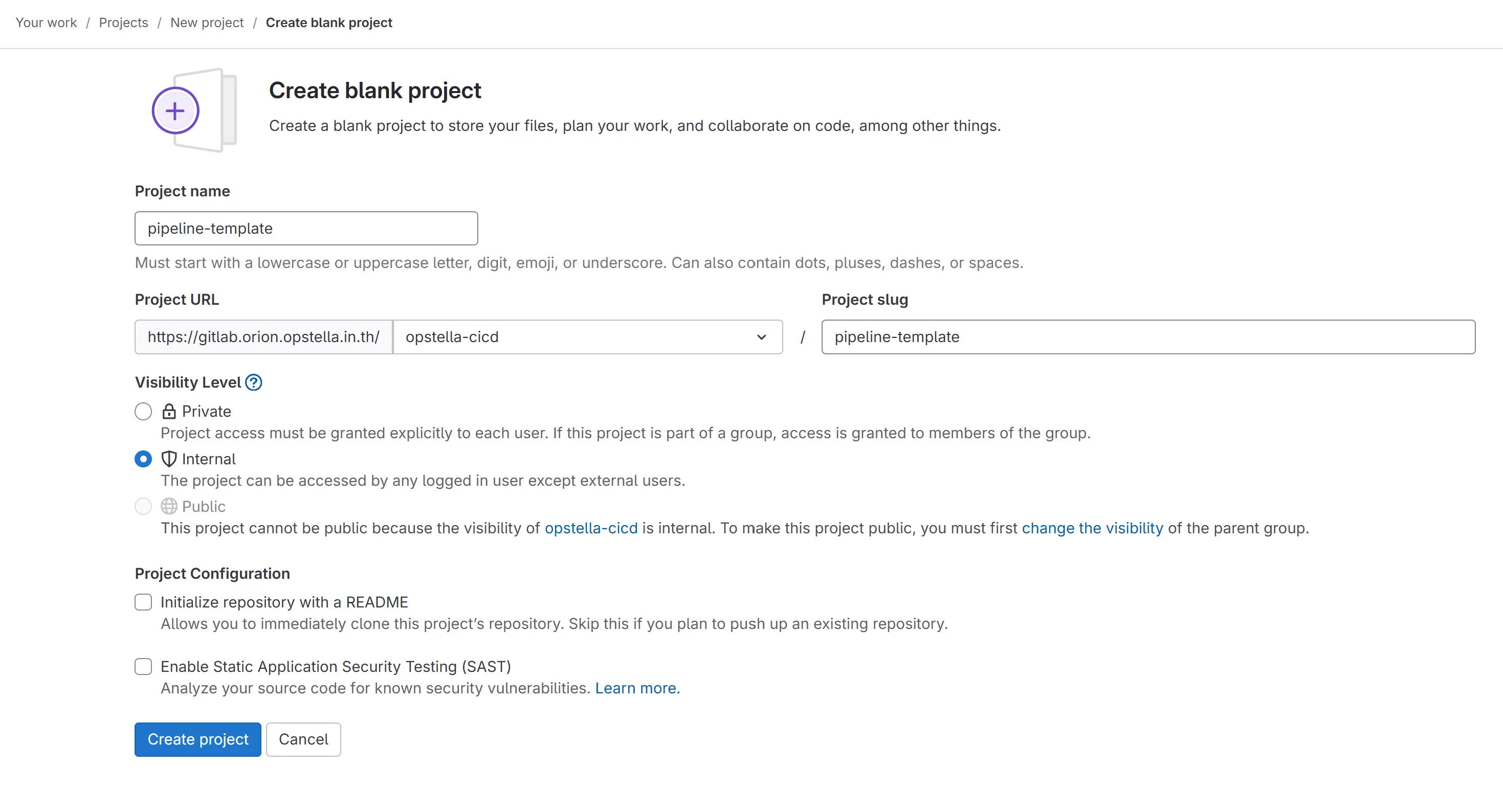
Create GitLab Project
pipeline-templateProject Attributes
- Project name: pipeline-template
- Project slug: pipeline-template
- Visibility Level: Internal
- Untick Initialize repository with a README
-
Clone Opstella Standard GitLab CI/CD Pipelines on git.opsta.io Repository to this repository
Copying a repository across instances
Section titled “Copying a repository across instances”Cloning normally brings the default branch only. Mirror it, so every branch and tag arrives:
git clone --mirror git@git.opsta.io:opstella/cicd/standard-pipeline.gitcd standard-pipeline.gitgit push --mirror git@gitlab.${BASE_DOMAIN}:opstella-cicd/pipeline-template.gitFinished?
Use the below navigation to proceed