

This is the Stable version of the documentation. The latest version is experimental and under active development. You can use the version selector in the top-right menu to switch versions for this specific page, or click here to go to the latest version's homepage.
Onboarded Application/Error - 502 Bad Gateway
เนื้อหานี้ยังไม่มีในภาษาของคุณ
Problem
Section titled “Problem”กรณีที่ทำการ Deploy เสร็จ
-
เข้าสู่ Application ไปแล้วพบ Error 502 Bad Gateway
-
เมื่อเปิด URL จาก Opstella พบว่าขึ้น Error 502 Bad Gateway
- เมื่อตรวจสอบเพื่มเติม โดยการ Port-Forward Application โดยตรง - หากพบว่า สามารถทำงานได้
- สาเหตุที่เป็นไปได้: การตั้งค่า Port ผิด - Port ใน Application Service และ Kubernetes Service ไม่ตรงกัน
Resolution
Section titled “Resolution”กรณี การตั้งค่า Port ผิด
Section titled “กรณี การตั้งค่า Port ผิด”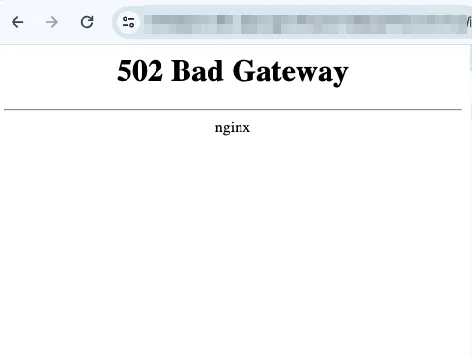
-
ตรวจสอบที่ Application Runtime เพื่อหา Port ที่ Application เปิด Port อยู่ ซึ่งสามารถตรวจสอบได้จาก
-
Source Code หรือ Dockerfile
-
ลองเข้า Pod จากนั้นพิมพ์คำสั่ง
Terminal window netstat -tuplnจะปรากฏว่า Port ของ Application คือหมายเลขอะไร
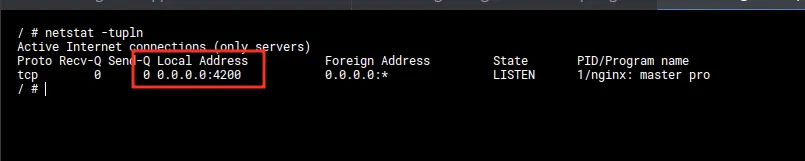
-
-
แก้ไข Port ใน Helm Values ให้ตรงกัน
ไปยังหน้า Component Detail และแก้ไข Helm Values ด้วยตนเอง
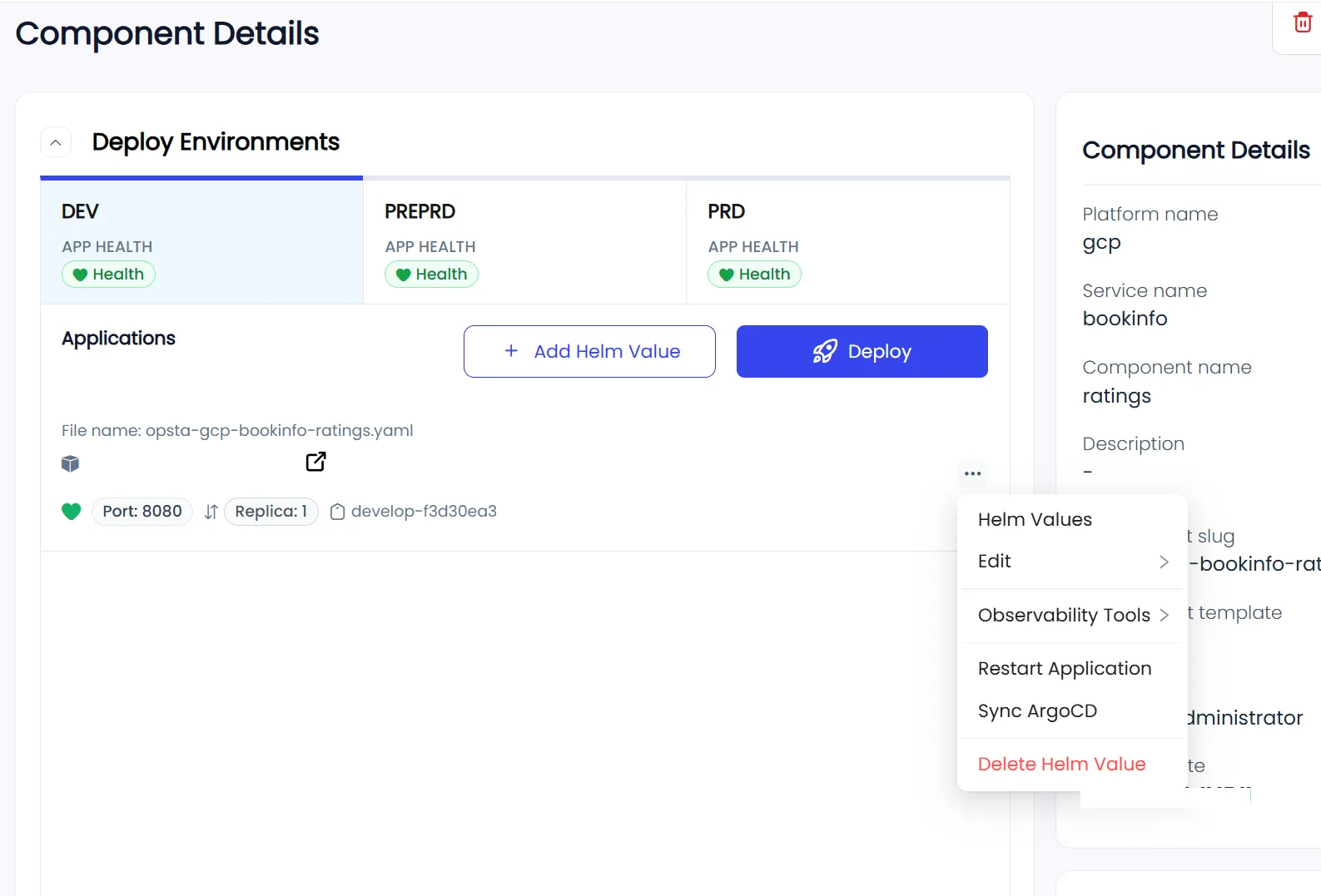
ให้ไปแก้ไขที่ Helm Values ในส่วนของ
containerPortหากพบว่า Port ไม่ตรงกัน ให้เปลี่ยนให้ตรงกัน กับ ที่ได้ตรวจพบ
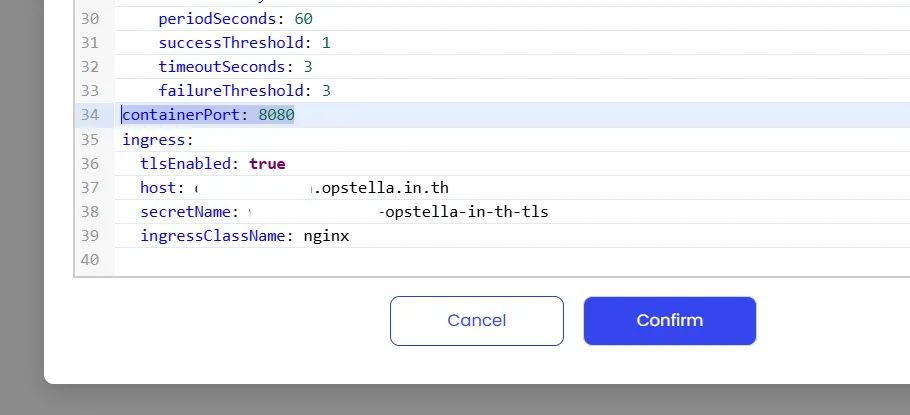
-
สามารถเข้าใช้งานได้ปกติ
Finished?
Use the below navigation to proceed