

This is the Experimental version (Latest). It is under active development and may change. For the most reliable documentation, use the version selector in the top-right to switch to Stable, or click here to go to the Stable version's homepage.
Headlamp Production Environment Installation
Last updated:
Prerequisites
Section titled “Prerequisites”Kubernetes Cluster
Section titled “Kubernetes Cluster”Prepare Shell Variables
Section titled “Prepare Shell Variables”Ensure you have defined and loaded your Global Shell Variables as described in Shell Variables.
-
Connect to
🟥 Production WorkloadKubernetes Cluster ; i.e w/ Kubeconfig FileEnsure you have defined and loaded your Global Shell Variables as described in Shell Variables.
Terminal window source $BASE_WORKING_DIR/shell-values/kubernetes/prod_cluster.vars.sh -
Create Kubernetes Secret for 🛡️ TLS Certificate for Headlamp (Production) in Namespace
devsecops-system.Create one using from
.crtand.keyfile.Terminal window kubectl create secret tls $K8S_INGRESS_TLS_CERTIFICATE_SECRET_NAME \--cert=/path/to/cert/file --key=/path/to/key/file \--namespace devsecops-system💡 Should return
secret/wildcard-...-tls createdmessage.
Pre-Installation
Section titled “Pre-Installation”Prepare Headlamp (Production) Configurations
Section titled “Prepare Headlamp (Production) Configurations”-
Create Helm Values Configurations
Terminal window cat <<EOF > $BASE_WORKING_DIR/helm-values/headlamp-prod-full-values.yamlingress:# -- Enable ingress controller resourceenabled: trueingressClassName: ${K8S_INGRESSCLASS_NAME}# -- Hostname(s) for the Ingress resourcehosts:- host: ${HEADLAMP_DOMAIN}paths:- path: /type: Prefix# -- Ingress TLS configurationtls:- secretName: ${K8S_INGRESS_TLS_CERTIFICATE_SECRET_NAME}hosts:- ${HEADLAMP_DOMAIN}# -- Headlamp containers Security ContextsecurityContext:seccompProfile:type: RuntimeDefaultcapabilities:drop: ["ALL"]runAsNonRoot: trueprivileged: falseallowPrivilegeEscalation: falserunAsUser: 100runAsGroup: 101EOF
Installation
Section titled “Installation”-
Add Headlamp Helm Repository
Terminal window # Add Helm Repositoryhelm repo add headlamp https://kubernetes-sigs.github.io/headlamp/helm repo update -
Install a Helm Release with specific Helm Chart Version
--version 0.28.1(App Version: 0.28.1)Terminal window helm upgrade --install headlamp headlamp/headlamp --version 0.28.1 \--namespace devsecops-system \-f $BASE_WORKING_DIR/helm-values/headlamp-prod-full-values.yaml
Post-Installation
Section titled “Post-Installation”Headlamp Testing
Section titled “Headlamp Testing”-
Get Pod Status - Headlamp
Terminal window kubectl get pods -n devsecops-systemHeadlamp should be
RunningNAME READY STATUS RESTARTS AGE... (deducted)headlamp-XXXXXXXX-YYYYY 1/1 Running 0 Xd -
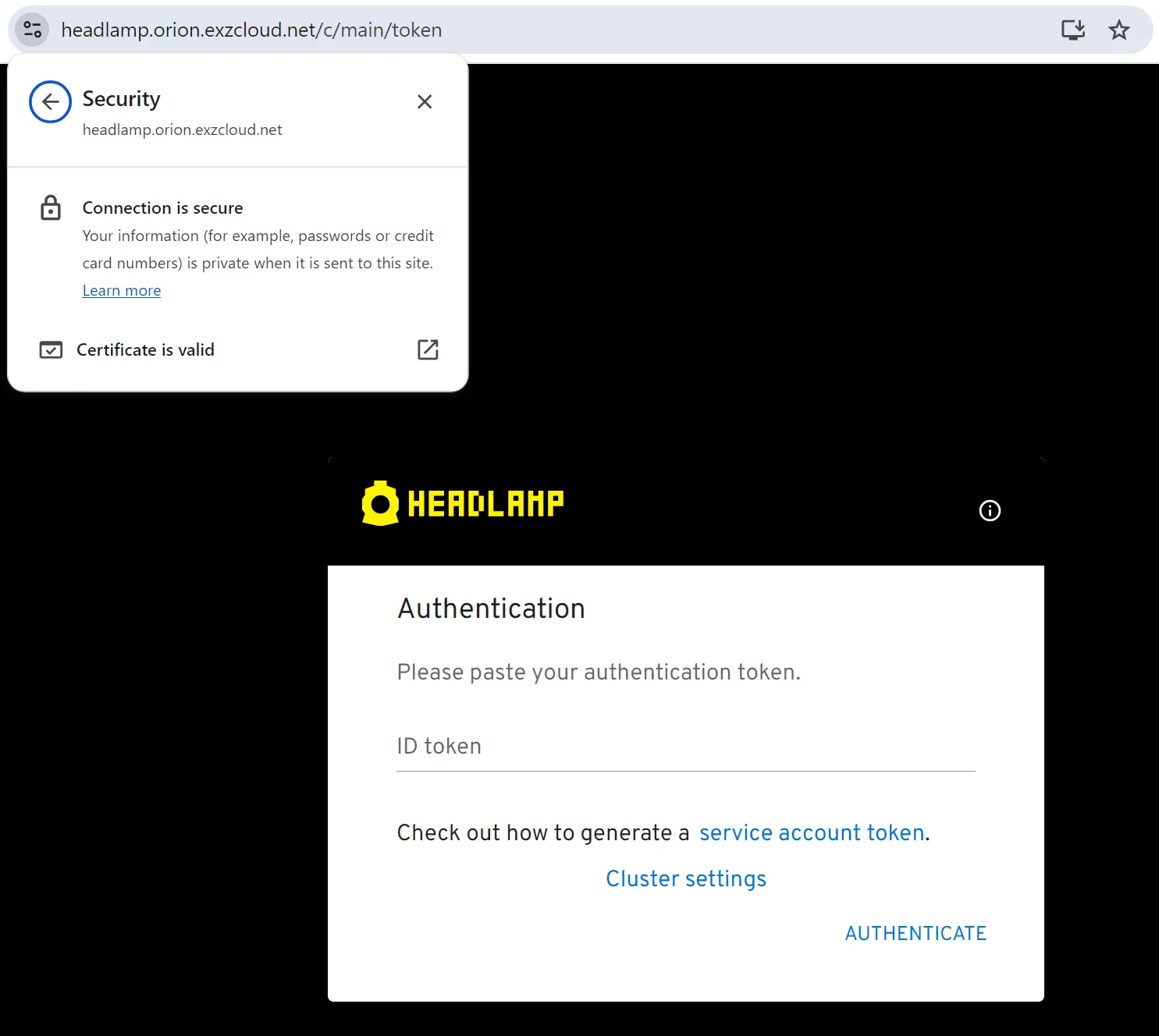
Visit
https://${HEADLAMP_DOMAIN}- It should be accessible.
- TLS Certificate should be valid and coresponding to your TLS Certificate Installed
-
Login to Headlamp with a Service Account Token
Headlamp is installed without OpenID Connect, so it authenticates with a Kubernetes Service Account Token. Create one from the Service Account that the Helm Chart already created.
Terminal window kubectl create token headlamp --namespace devsecops-systemPaste the returned Token into the
ID tokenfield on the Headlamp login page. If success then it works.
Finished?
Use the below navigation to proceed