

This is the Experimental version (Latest). It is under active development and may change. For the most reliable documentation, use the version selector in the top-right to switch to Stable, or click here to go to the Stable version's homepage.
Get to Observability System
Last updated:
การติดตามแอปพลิเคชัน (Monitor application) หรือที่เรียกว่า การติดตามประสิทธิภาพแอปพลิเคชัน (Application performance monitoring - APM) หมายถึงกระบวนการติดตามและวิเคราะห์การทำงานของแอปพลิเคชันซอฟต์แวร์ เป้าหมายหลักคือเพื่อให้แน่ใจว่าแอปพลิเคชันทำงานได้อย่างราบรื่น มีประสิทธิภาพ และตอบสนองความต้องการของผู้ใช้งาน
ซึ่งแอปพลิเคชันที่ต้องการติดตามจะผ่านกระบวนการ Onboard Application บน Opstella มาก่อน และ Deploy Application ได้สมบูรณ์ ข้อมูลจึงปรากฏใน Grafana
Logging into Grafana Dashboard
Section titled “Logging into Grafana Dashboard”-
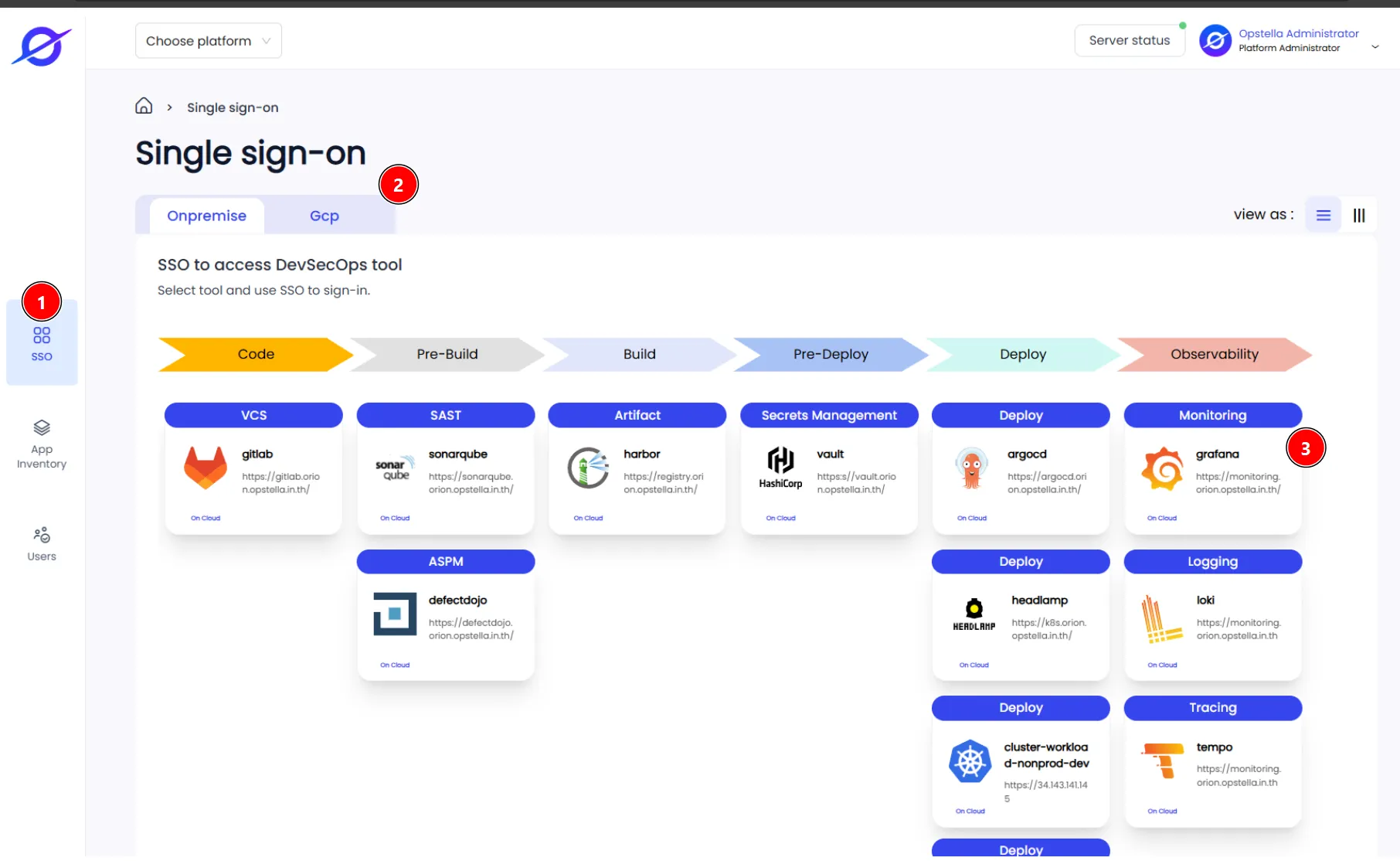
คลิกที่เมนู SSO ดังรูป
-
เลือก Platform ที่ต้องการด้าน ซ้ายบน
-
คลิกเลือกที่ปุ่ม Grafana ดังรูป
-
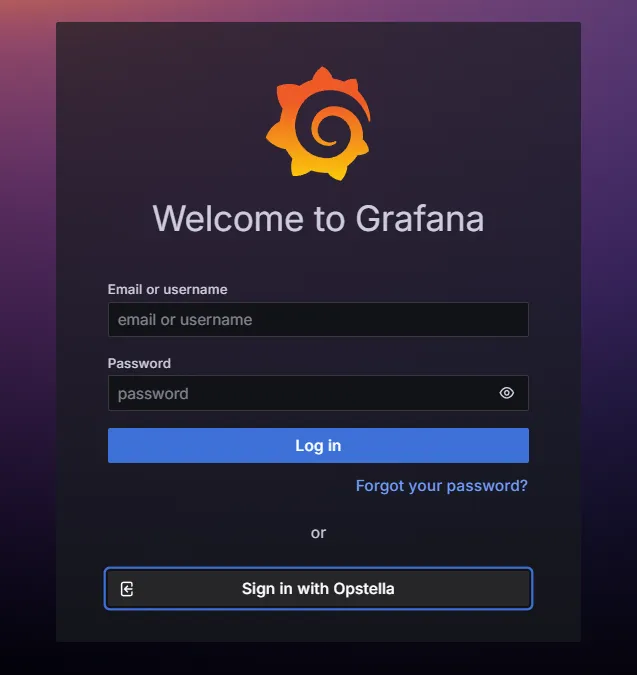
ระบบจะแสดงหน้าต่างขึ้นใหม่เพื่อเข้าสู่ Grafana ทำการเข้าสู่ระบบด้วยการคลิกที่ปุ่ม Sign in with Opstella ดังรูป
-
เมื่อเข้าสู่ระบบสำเร็จ ระบบจะแสดงหน้า Welcome ดังรูป
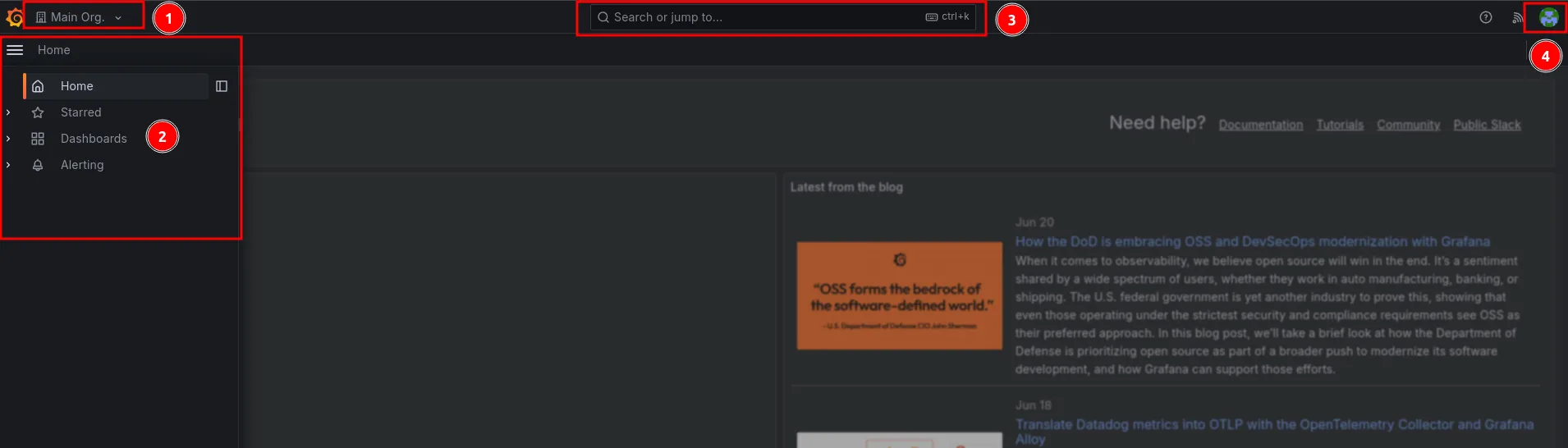
รายละเอียด เมนู
- เมนู Switch Organization
- เมนูหลักๆ
- ช่องค้นหา
- เมนูผู้ใช้งานจะอยู่ด้านขวาบน เกี่ยวข้องกับการจัดการข้อมูล User ทั้งหมด
Finished?
Use the below navigation to proceed