

This is the Experimental version (Latest). It is under active development and may change. For the most reliable documentation, use the version selector in the top-right to switch to Stable, or click here to go to the Stable version's homepage.
Opstella Project Templates on GitLab Installation
อัพเดทล่าสุด:
เนื้อหานี้ยังไม่มีในภาษาของคุณ
Opstella Project Templates Installation
Section titled “Opstella Project Templates Installation”Visit Opstella Project Templates on git.opsta.io
You will be cloning repositories to your own GitLab Instance that your have provisioned
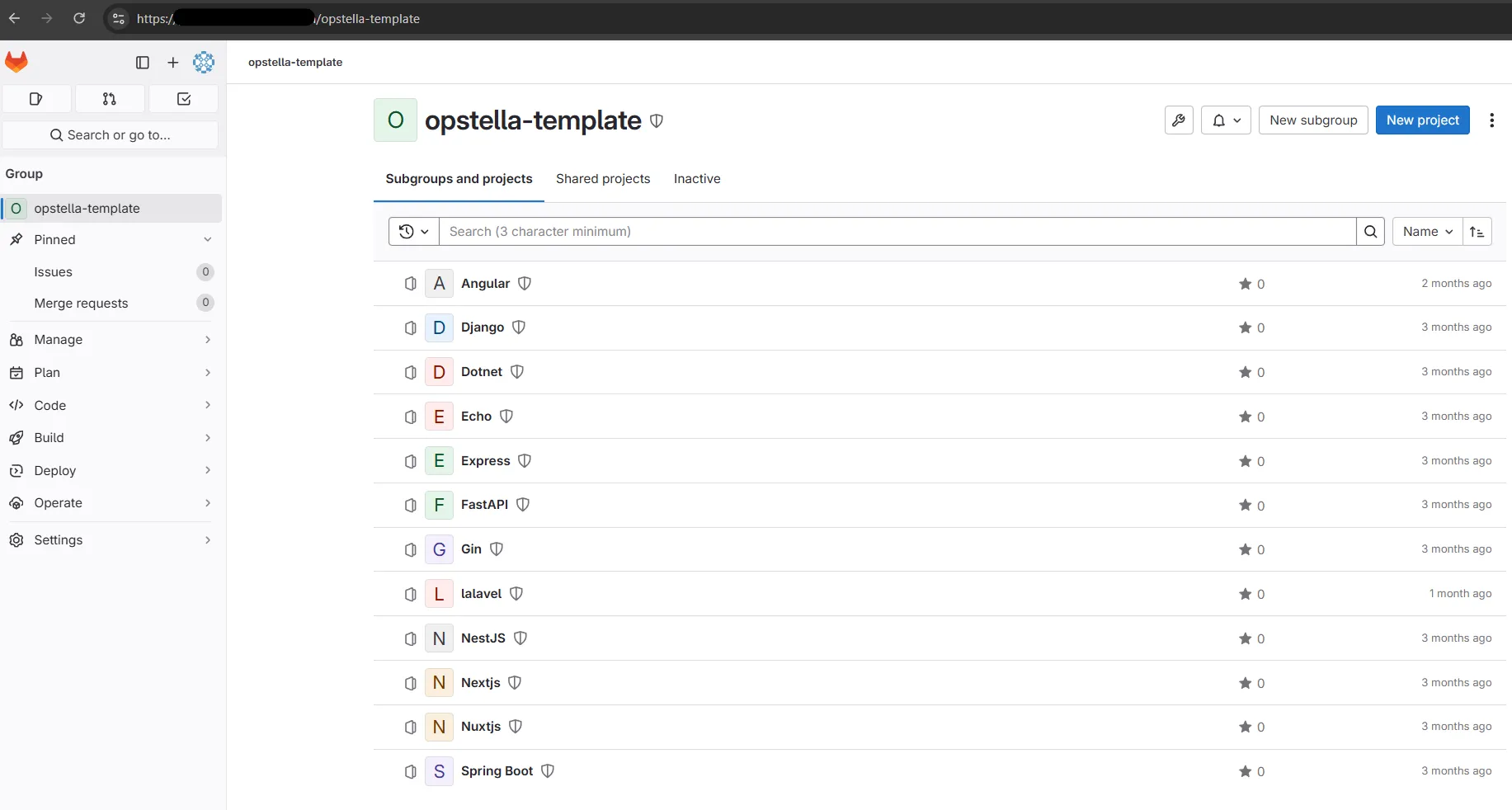
-
Create GitLab Group to Root Group >
opstella-templateGroupGroup Attributes
- Group Name: opstella-template
- Group URL: opstella-template
- Visibility Level: Internal
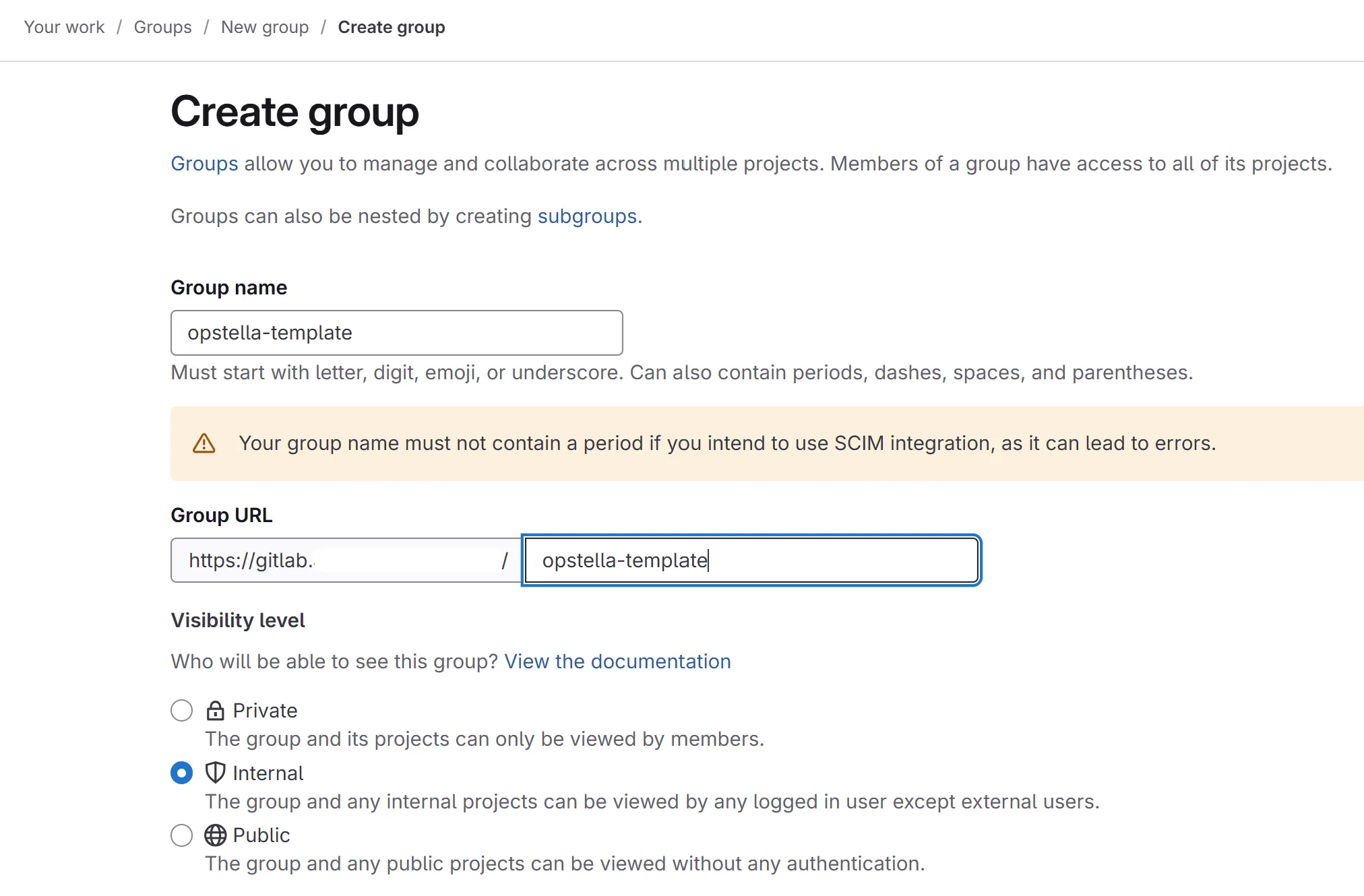
- Leave the rest to Default Configuration
-
Create GitLab Projects under
opstella-templateGroupNumber of Projects that need to be created will be according to customer agreement upon purchasing Opstella whether how many Language/Framework that they need support for.
For instance, 3 Language/Framework
- Angular
- Django
- Dotnet
You will need to create ONLY 3 projects on your GitLab Instance, under Root Group >
opstella-templateGroupAfter that, you ONLY clone 3 repositories from Opstella Project Templates on git.opsta.io with the exact same name Language/Framework to the created projects on your GitLab Instance.
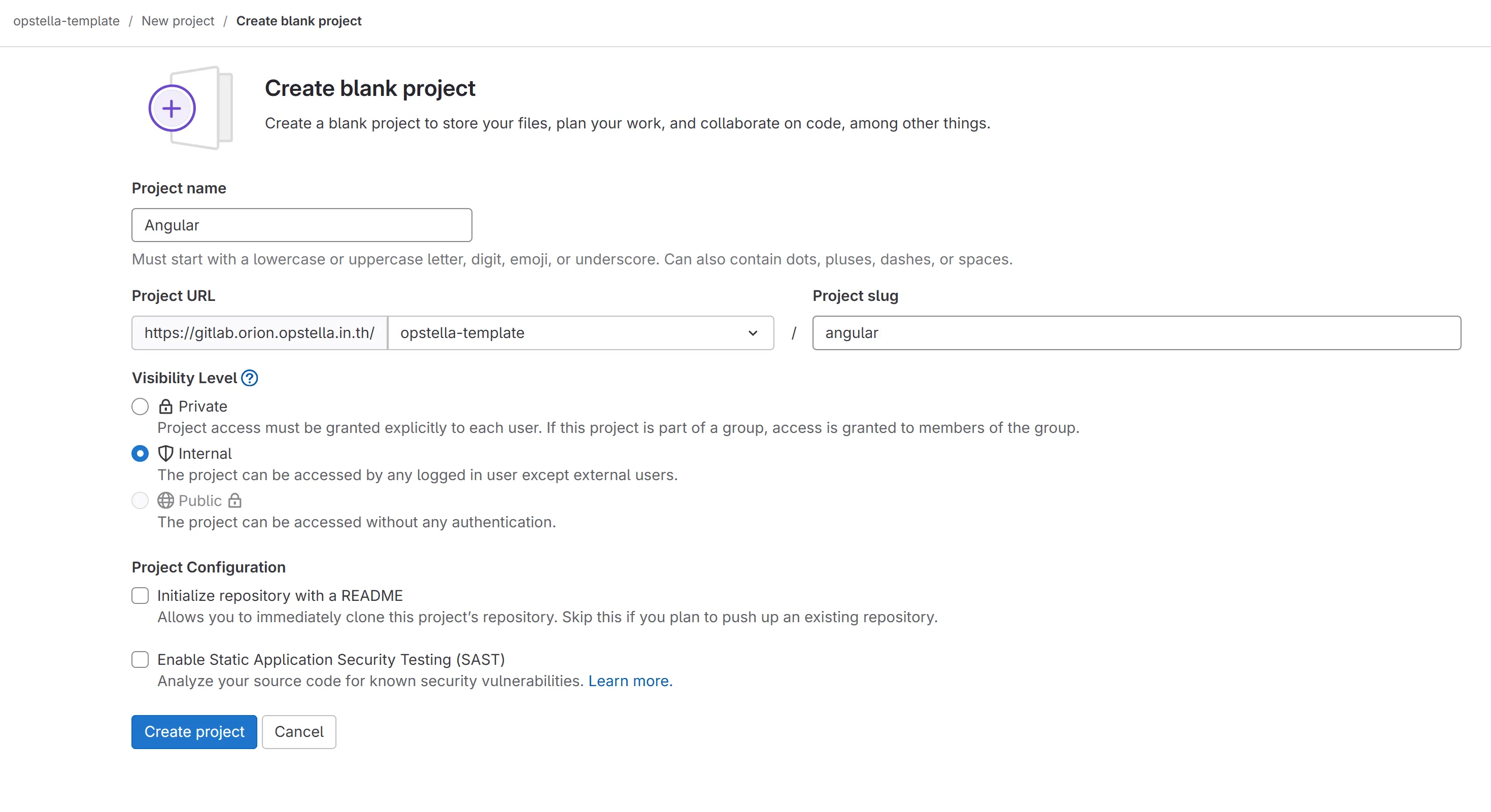
Project Attributes
- Project name: The Language/Framework Name
- Project slug: The Language/Framework Name
- Visibility Level: Internal
- Untick Initialize repository with a README
Copying a repository across instances
Section titled “Copying a repository across instances”Cloning normally brings the default branch only. Mirror each template instead, so every branch and tag arrives — repeat per Language/Framework:
git clone --mirror git@git.opsta.io:opstella/templates/<language-framework>.gitcd <language-framework>.gitgit push --mirror git@gitlab.${BASE_DOMAIN}:opstella-template/<language-framework>.gitFinished?
Use the below navigation to proceed